Home > PrestaShop 9 > Core Reference > Components > Form > Types Reference > ProductSearchType
Table of Contents
ProductSearchType
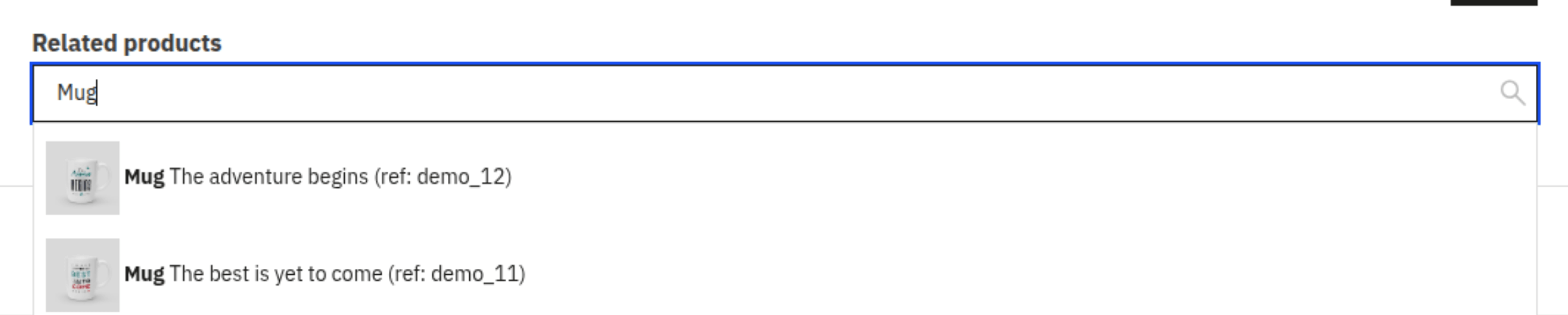
This form class allows you to select a product, with or without combinations.
It is the remplacement of TypeaheadProductCollectionType for PrestaShop 8.
Type options
| Option | Type | Default value | Description |
|---|---|---|---|
| include_combinations | bool | none | Required. Defines whether product combinations should be included in the search results (true) or only the main product (false). |
| remote_url | string | none | Overrides the default search endpoint with a custom URL. |
| min_length | integer | 3 | Minimum number of characters required before triggering the search. |
| filtered_identities | array | [] | List of product IDs that must be excluded from the search results. |
| limit | integer | 1 | The number of item to display. |
Required Javascript components
| Component | Description |
|---|---|
| EntitySearchInput | Handles the search input, AJAX calls, and product selection logic. |
Learn more about Javascript components and how to use them
Code example
The PHP form :
<?php
// path/to/your/CustomType.php

use PrestaShopBundle\Form\Admin\Type\ProductSearchType;
use PrestaShopBundle\Form\Admin\Type\TranslatorAwareType;
use Symfony\Component\Form\FormBuilderInterface;

class CustomType extends TranslatorAwareType
{
    public function buildForm(FormBuilderInterface $builder, array $options)
    {
        $builder
            ->add('related_products', ProductSearchType::class, [
                'include_combinations' => false,
                'label' => $this->trans('Related products', 'Admin.Catalog.Feature'),
                'label_tag_name' => 'h3',
                'min_length' => 3,
            ])
        ;
    }
}
In your template, the PrestaShop UI Kit must be added to your form.
{% form_theme form '@PrestaShop/Admin/TwigTemplateForm/prestashop_ui_kit.html.twig' %}
Then, in JavaScript, you have to connect the EntitySearchInput component.
const elementProductId = $("#form_prefix_field_name");

let productSearchInput = new window.prestashop.component.EntitySearchInput(elementProductId, {
    onRemovedContent: () => {
      console.log('Event on product deletion');
    },
    onSelectedContent: () => {
      console.log('Event on product selection');
    }
});
Preview example