Templates and layouts
This page explains the directory structure, the difference between templates and layouts, and how PrestaShop resolves which template to use.
Template directory structure
All template files live in the theme’s templates/ folder:
| Directory | Content |
|---|---|
_partials/ |
Shared fragments: header, footer, breadcrumb, notifications |
catalog/ |
Product pages, listing pages, search results |
checkout/ |
Cart, checkout flow, order confirmation |
cms/ |
Static pages, sitemap, stores |
components/ |
Reusable UI components, introduced by Hummingbird |
customer/ |
Account pages, order history, addresses |
errors/ |
404, forbidden, server error pages |
layouts/ |
Page layouts (full-width, columns, etc.) |
Templates vs layouts
- A layout defines the global page structure: HTML shell, header, footer, and column arrangement. It never contains page-specific content.
- A template fills in the content for a specific page by extending a layout and overriding its blocks.
To illustrate, here is how the product page is built:
layout-both-columns.tpl: the root layout, renders the HTML shell with header, footer, and sidebarslayout-full-width.tpl: extends it and removes the sidebarscatalog/product.tpl: the page template, extends the layout and fills in the product content
Some pages add an extra step: page.tpl is a generic page wrapper (title, content area, footer) that also extends $layout. Simple pages like CMS or contact extend page.tpl instead of the layout directly, inheriting its common structure.
See Template inheritance for a detailed guide on {extends}, {block}, and how to build on parent templates.
Layouts
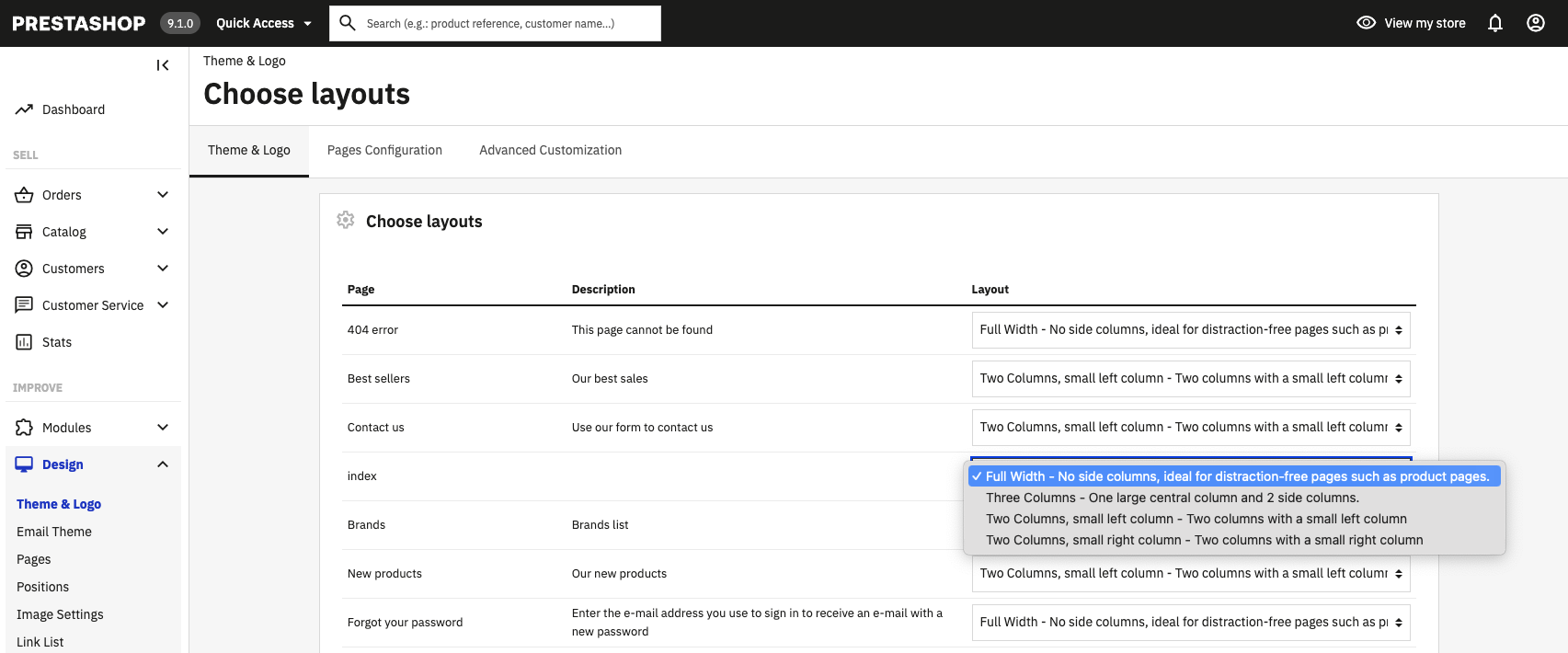
A layout is the top of the inheritance tree. It holds the <html>, <head>, and <body> tags. Users can choose a layout per page from the Back Office.
The $layout variable is set by the front controller based on the layout assigned to the current page. Default assignments are defined in theme.yml, but can be overridden per page via Design > Theme & Logo > Choose layouts in the Back Office.
An example layout
Here is a simplified version of a full-width layout, showing the main blocks that page templates can override:
<!doctype html>
<html lang="{$language.iso_code}">
<head>
  {block name='head'}
    {* Loads stylesheets, meta tags, JS head *}
    {include file='_partials/head.tpl'}
  {/block}
</head>

{* classnames modifier converts the body_classes array into a CSS class string *}
<body id="{$page.page_name}" class="{$page.body_classes|classnames}">
  {hook h='displayAfterBodyOpeningTag'}

  <main>
    <header id="header">
      {block name='header'}
        {include file='_partials/header.tpl'}
      {/block}
    </header>

    <section id="wrapper">
      {block name='breadcrumb'}
        {include file='_partials/breadcrumb.tpl'}
      {/block}

      {block name="content_wrapper"}
        <div id="content-wrapper">
          {block name="content"}
            {* Page templates override this block with their content *}
            <p>Default content placeholder.</p>
          {/block}
        </div>
      {/block}
    </section>

    <footer id="footer">
      {block name="footer"}
        {include file="_partials/footer.tpl"}
      {/block}
    </footer>
  </main>

  {hook h='displayBeforeBodyClosingTag'}

  {block name='javascript_bottom'}
    {include file="_partials/javascript.tpl" javascript=$javascript.bottom}
  {/block}
</body>
</html>
Template resolution order
PrestaShop resolves templates dynamically based on the locale and entity ID. This lets you create per-product, per-category, or per-locale templates without modifying the defaults, useful for stores with multiple languages or pages that need a unique layout.
PrestaShop checks multiple locations and uses the first match found, from most specific to least specific.
Product page example
For a product with ID 3 and locale en-US, PrestaShop looks for:
en-US/catalog/product-3.tpl: locale + entity IDcatalog/product-3.tpl: entity ID onlyen-US/catalog/product.tpl: locale onlycatalog/product.tpl: default
Category page example
Listing pages have an additional fallback: if no category-specific template is found, PrestaShop falls back to the generic product-list.tpl. For category ID 9 with locale en-US:
en-US/catalog/listing/category-9.tplcatalog/listing/category-9.tplen-US/catalog/listing/category.tplcatalog/listing/category.tplen-US/catalog/listing/product-list.tplcatalog/listing/product-list.tpl: final fallback
This fallback chain applies to all listing pages (new products, best sellers, search results, etc.) they all ultimately fall back to product-list.tpl.