Manage extra properties from the Back Office
Merchants and integrators can create extra properties without code from Advanced Parameters > Extra Properties (AdminExtraPropertyDefinitions tab, route admin_extra_property_definitions_index). Properties created there are core-owned: they have no owning module and their values are grouped under the _core key (see Where values surface).
The same definitions can be managed programmatically through the Admin API.
Listing
The page lists every definition, core-owned and module-owned.
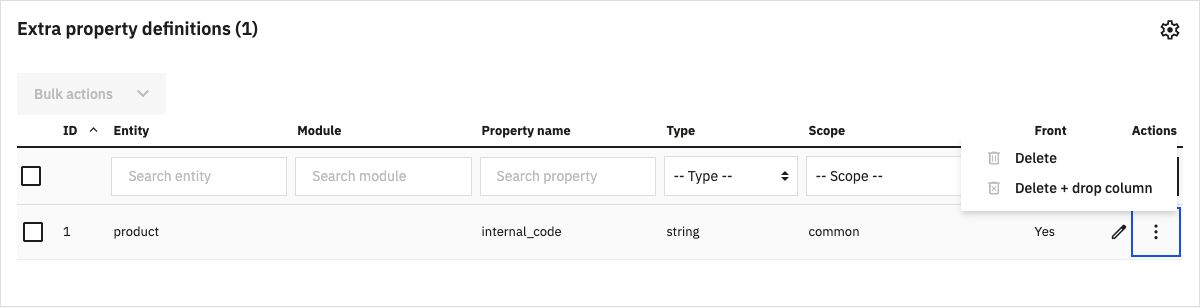
| Column | Content |
|---|---|
| ID | Definition ID |
| Entity | Logical entity name |
| Module | Owning module, empty for core-owned definitions |
| Property name | Property identifier |
| Type | Property type |
| Scope | common, lang or shop |
| Front | Whether the value is exposed on the Front Office (displayFront) |
| Store(s) | Stores the definition is restricted to, or “All stores”. Only displayed when multistore is used. |
In a multistore shop, the grid follows the shop context: in “All stores” it lists every definition, in a store or group context it lists the definitions available there.
Row actions depend on the owner:
- Core-owned rows have Edit, Delete and Delete + drop column.
- Module-owned rows have View only: the module remains the source of truth and must register or unregister them itself (see Register extra properties from a module).
Delete removes the definition and keeps the column and its values. Delete + drop column also drops the column and all its values. The same two options are available as bulk actions. Module-owned rows in a bulk selection are skipped and reported as errors, the others are deleted.
Create a property
Click Add new extra property. The form is split into five cards.
Field definition
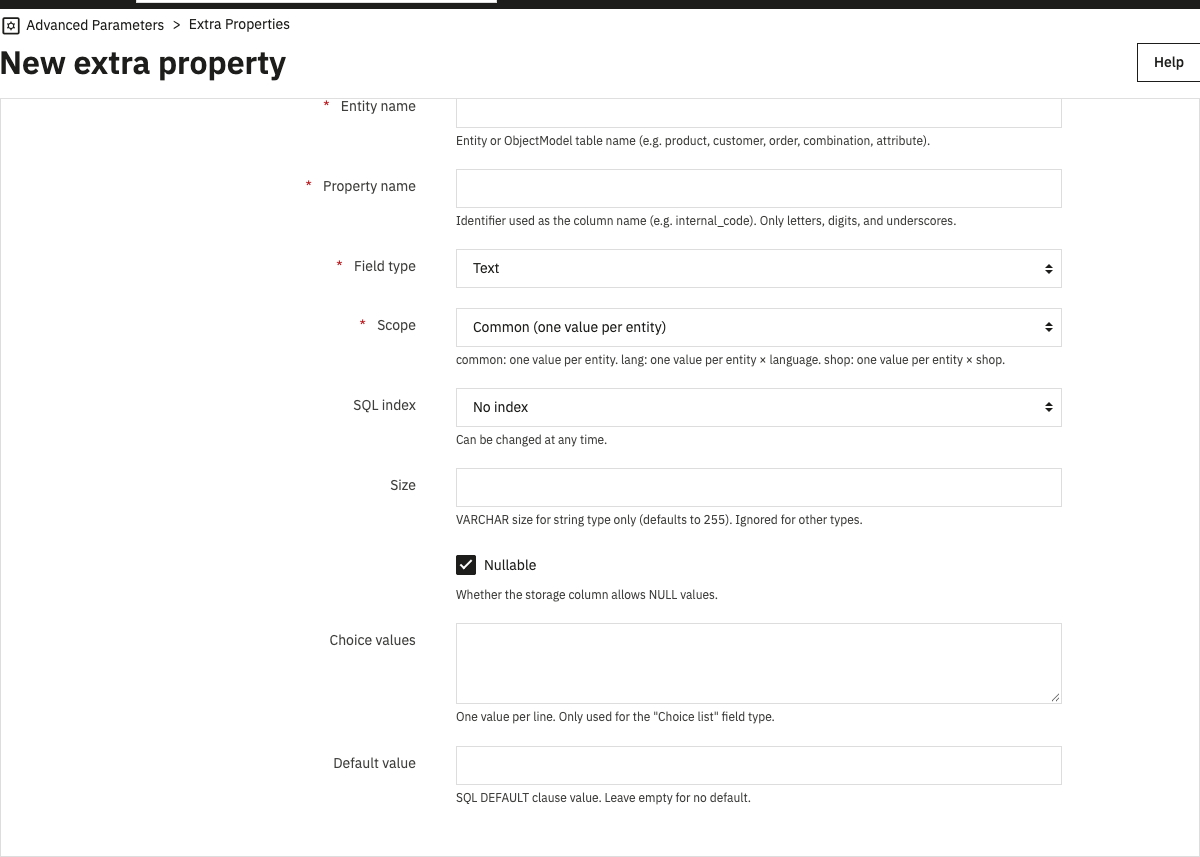
| Field | Description |
|---|---|
| Entity name | Entity or ObjectModel table name (product, customer, order, combination…). See Supported entities. |
| Property name | Identifier used in the storage column. Letters, digits and underscores. |
| Field type | One of the types. |
| Scope | common, lang or shop. See Storage. |
| SQL index | No index, index or unique index. Can be changed at any time. |
| Size | VARCHAR length for the text type, 255 by default. |
| Nullable | Whether the column accepts NULL. |
| Choice values | One value per line, for the choice list type. |
| Default value | See Default values. |
Visibility
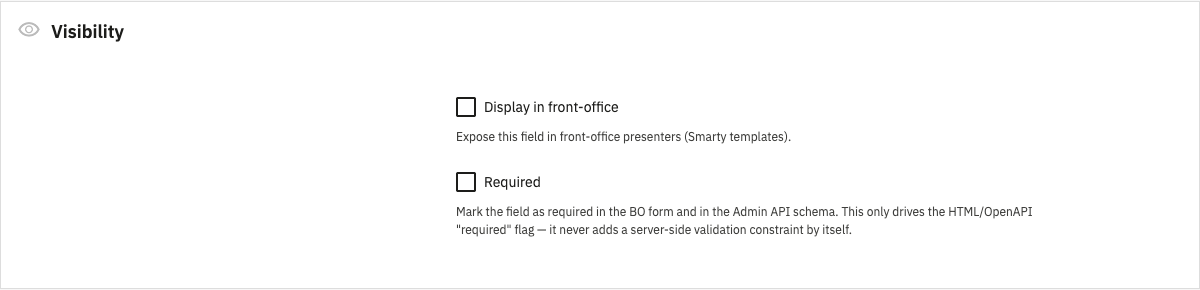
| Field | Description |
|---|---|
| Display in front-office | Exposes the value on the Front Office (displayFront). |
| Required | Marks the field as required in Back Office forms and in the Admin API schema. See Validation. |
| Store association | Only displayed when multistore is used. Stores the definition is restricted to. Leave empty to make it available in all stores. See Multistore. |
Labels and descriptions
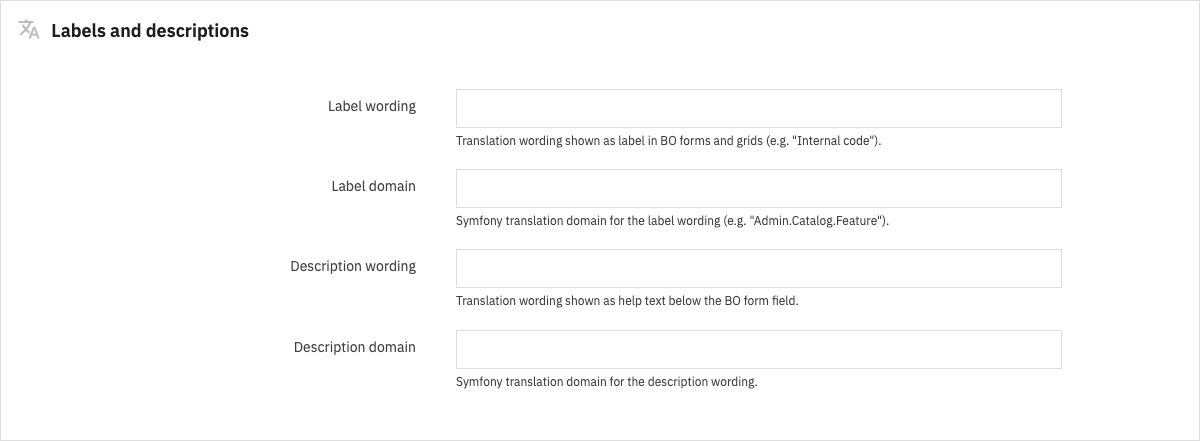
| Field | Description |
|---|---|
| Label wording | Label in Back Office forms and grids. Required when a form or grid placement is set. |
| Label domain | Translation domain of the label (for example Admin.Catalog.Feature). |
| Description wording | Help text displayed under the form field. |
| Description domain | Translation domain of the description. |
Validation
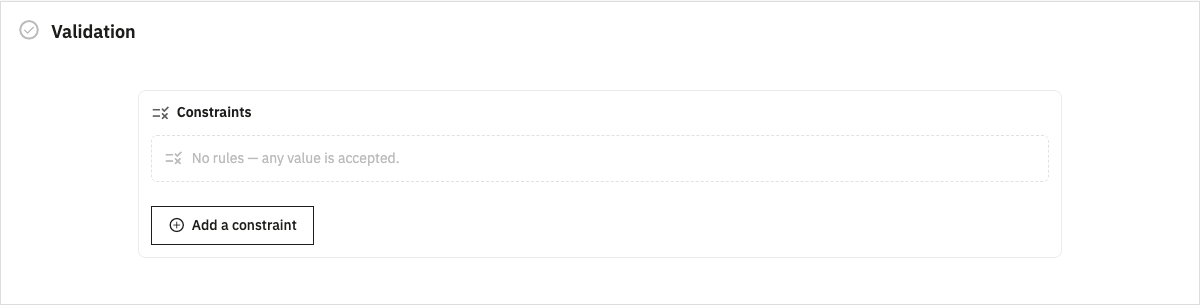
The constraint builder adds Symfony constraints one row at a time, among the allowed constraints. Each row is checked with the same parser as the registry, so an unknown constraint or an invalid option is reported on the row. For lang properties, rows placed in the per-language zone are applied to each language value (they are stored as one All[...] constraint).
Placement
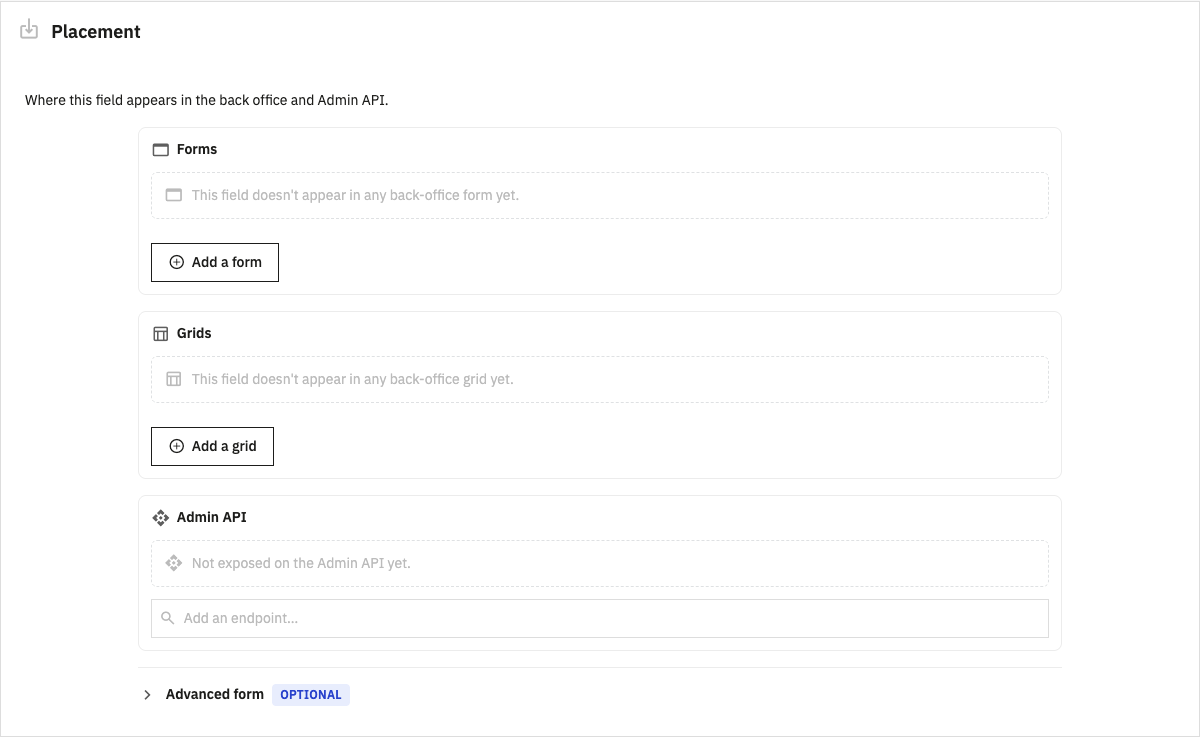
| Field | Description |
|---|---|
| Forms | Back Office forms where the field is added. For each form, pick a field and a position (automatic, before or after). See Back Office forms. |
| Grids | Back Office grids where the column is added, with an optional column and position. See Back Office grids. |
| Admin API | Admin API operations exposing the value. See Admin API. |
| Advanced form > Symfony form type | Form type FQCN replacing the default form type of the type. |
| Advanced form > Form options | Options passed to the form type, as a JSON object. |
The form and the field lists are built from the forms and grids detected in the shop. An ID that is not listed can still be entered manually.
Edit a core-owned property
Entity name, property name, type, scope and default value cannot be changed after creation: changing them would move or rewrite the stored data.
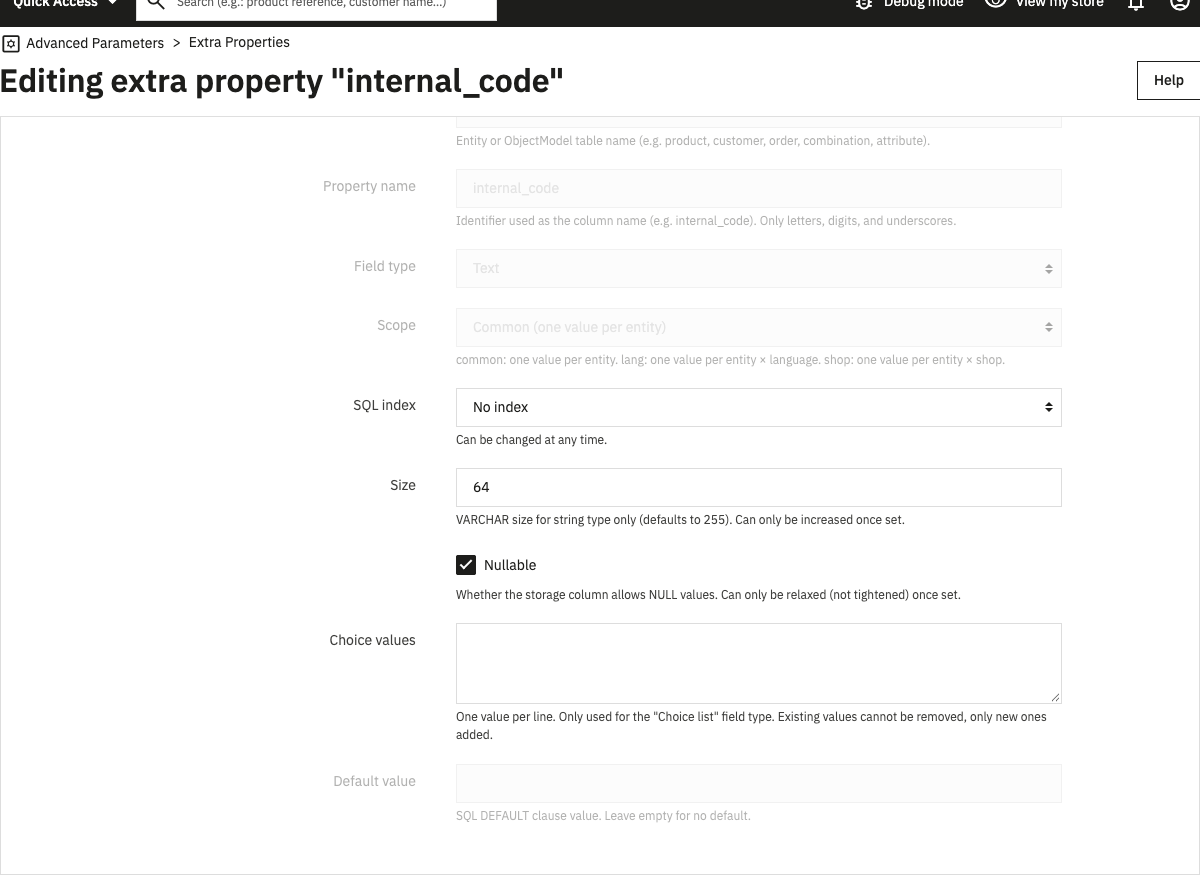
Size, nullable and choice values can be edited, but only in a direction that keeps the stored data: size increase, NOT NULL to NULL, new choice values. A destructive change is refused on save. To apply it, delete the property with Delete + drop column and create it again.
View a module-owned property
The View action displays the definition of a module-owned property with all its fields disabled.
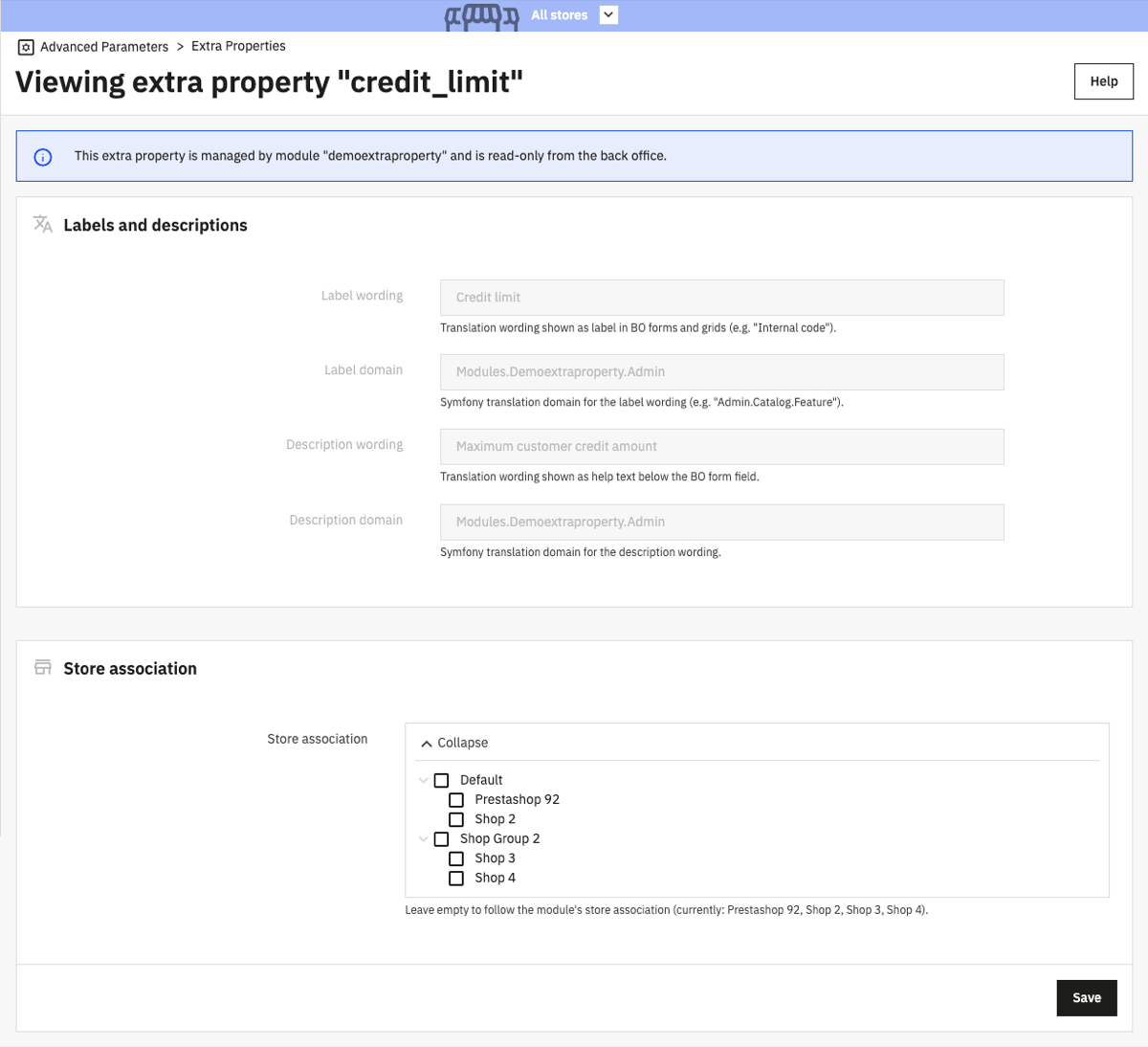
In a multistore shop, the page also has a Store association field, the only setting a merchant can change on a module-owned definition. Leave it empty to follow the stores where the module is enabled. A module re-registering its property on upgrade does not overwrite this choice (see Restrict a property to some stores).
Hooks
The page is built with the Grid and Form components. Modules can alter the listing with the grid hooks:
- actionExtraPropertyDefinitionGridDefinitionModifier
- actionExtraPropertyDefinitionGridQueryBuilderModifier
- actionExtraPropertyDefinitionGridDataModifier
- actionExtraPropertyDefinitionGridFilterFormModifier
- actionExtraPropertyDefinitionGridPresenterModifier
The create and edit form dispatches the generic form hooks with the ExtraPropertyDefinition form name, for example actionExtraPropertyDefinitionFormBuilderModifier (see action<FormName>FormBuilderModifier) and actionAfterCreateExtraPropertyDefinitionFormHandler (see actionAfterCreate<FormName>FormHandler).
Manage definitions through the Admin API
The ps_apiresources module exposes the definitions on the Admin API from PrestaShop 9.2.0. The endpoints follow the same rules as the Back Office page: module-owned definitions only accept a store association change.
| Method | Endpoint | Scope | Description |
|---|---|---|---|
GET |
/extra-property-definitions |
extra_property_definition_read |
List definitions |
GET |
/extra-property-definitions/{extraPropertyDefinitionId} |
extra_property_definition_read |
Get a definition |
POST |
/extra-property-definitions |
extra_property_definition_write |
Create a core-owned definition |
PATCH |
/extra-property-definitions/{extraPropertyDefinitionId} |
extra_property_definition_write |
Update a definition |
DELETE |
/extra-property-definitions/{extraPropertyDefinitionId} |
extra_property_definition_write |
Delete a definition. Send {"dropColumn": true} to also drop the column. |
DELETE |
/extra-property-definitions/bulk-delete |
extra_property_definition_write |
Delete several definitions (extraPropertyDefinitionIds, optional dropColumn). Per-item failures return a 207 response. |
Constraints are exchanged as the constraint DSL string, types, scopes and indexes as their lowercase values (string, lang, unique), and the store restriction as shopIds. Refused definitions (unknown entity, scope conflict, destructive change, invalid default value or constraints) return a 422 response.
{
  "entityName": "product",
  "propertyName": "internal_code",
  "type": "string",
  "scope": "common",
  "size": 64,
  "displayFront": false,
  "constraints": "Length(max: 64)",
  "associatedForms": ["product"],
  "associatedGrids": ["product:reference"],
  "associatedApis": ["/products/{productId}"],
  "labelWording": "Internal code",
  "labelDomain": "Admin.Catalog.Feature"
}